
Screenshots

App details
- Updated
- Aug 2, 2014
- Language
- English,Hungarian
- Developer
- Brazso
- Category
- Mobile
SoftPas in:
This product is also available in the following languages:
About QMP3Gain
Download QMP3Gain – Normalize MP3 Volume, Fix Audio Levels, MP3 Gain Tool
Overview
QMP3Gain is a lightweight Android application designed to address inconsistencies in audio volume across MP3 files. Many users encounter issues where certain tracks play significantly louder or quieter than others, disrupting the listening experience—especially during playlist playback or when using music in background scenarios. QMP3Gain provides a targeted solution to this common audio problem by enabling users to analyze and normalize the volume levels of their MP3 files directly from their smartphones.
The app is particularly useful for individuals who curate personal music libraries, including audiophiles, podcast listeners, and content creators managing audio assets. It allows users to identify tracks with volume irregularities and apply corrective adjustments to achieve a balanced playback experience. The developer, QMP3Gain, has focused on delivering a streamlined utility without unnecessary complexity, making it accessible to users of all technical skill levels.
Although the developer did not provide additional technical details, the app’s long-standing presence since its release on August 2, 2014, suggests a stable and functional core. Its minimal size of 1.2 MB indicates a lean design, likely optimized for performance on a wide range of Android devices. In the broader app ecosystem, QMP3Gain fills a niche role as a dedicated audio normalization tool, offering a free alternative to more complex audio editing software.
Key Features & Functionality
- Easy File Addition: Users can add individual MP3 files or entire folders with minimal effort. This feature simplifies the process of selecting audio files for normalization, especially when managing large music collections.
- Visual Analysis Feedback: The app uses color-coded indicators to communicate the status of each track. Tracks requiring adjustment appear in red, those already at optimal levels are green, and modified files are marked in blue—providing immediate visual feedback.
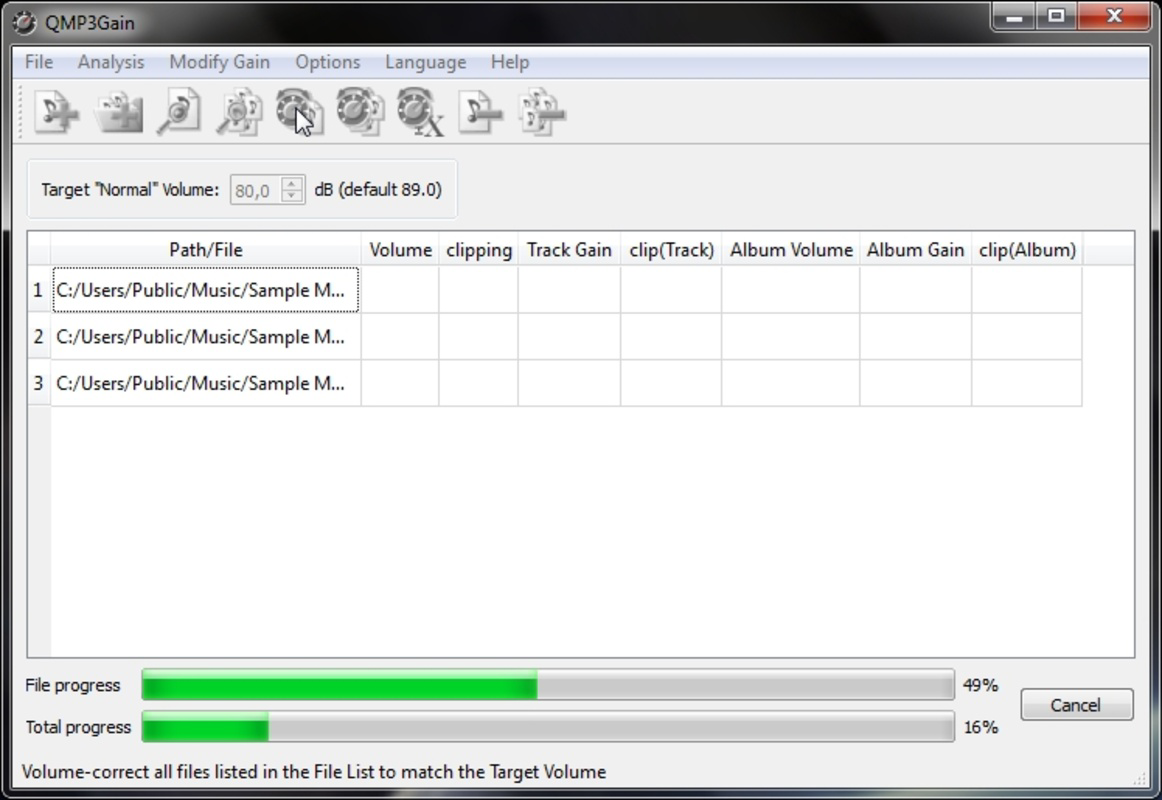
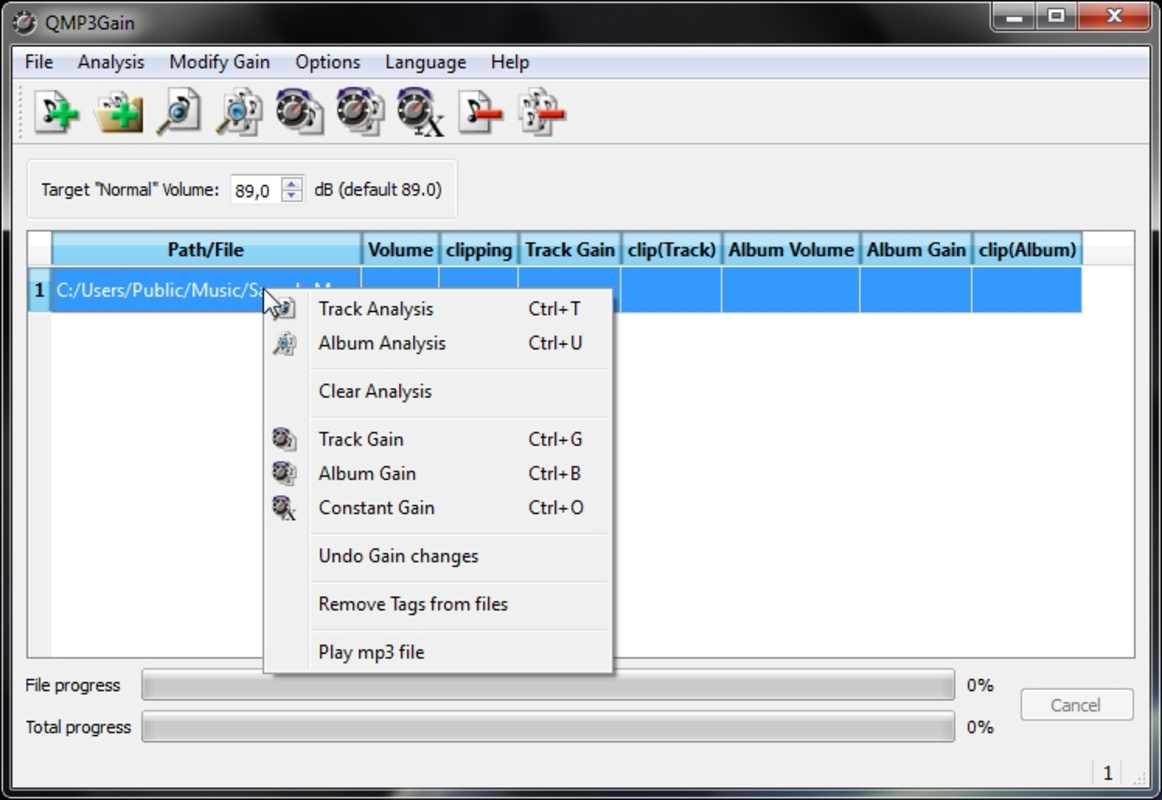
- Track Gain Normalization: By applying the 'Track gain' option, the app automatically adjusts the volume of selected tracks to a consistent level, ensuring smooth transitions between songs during playback.
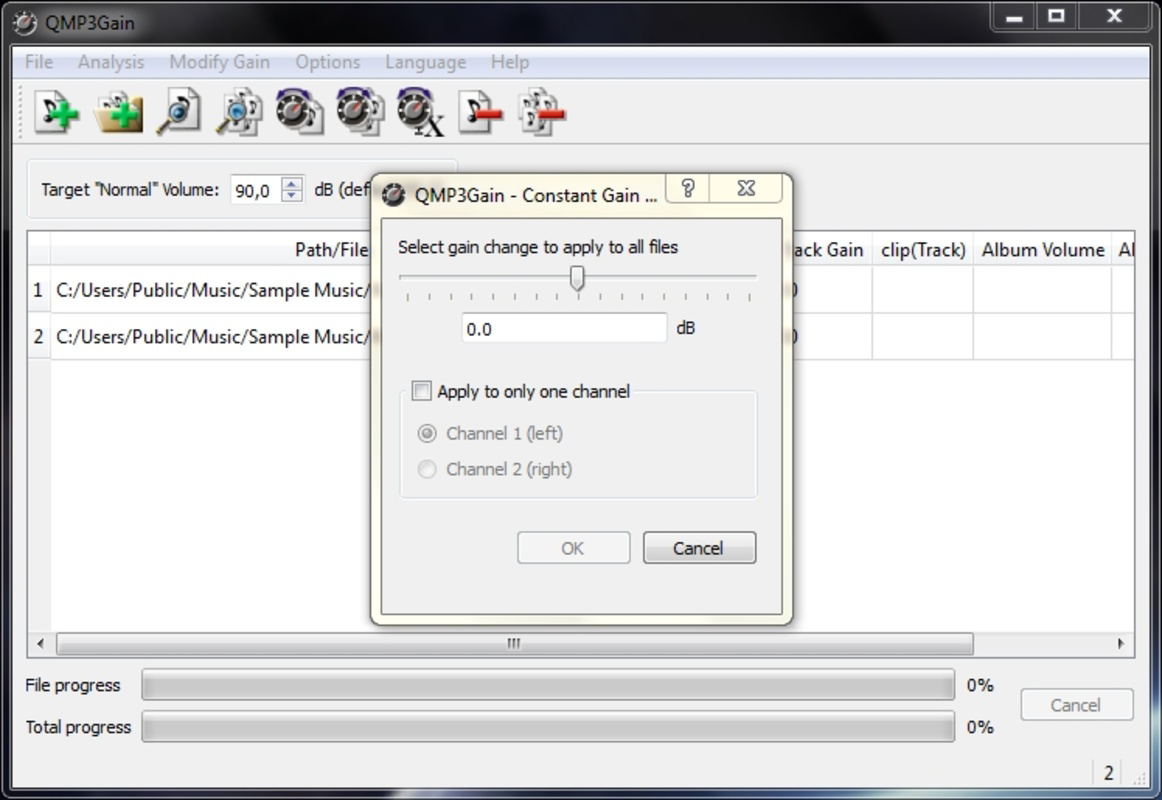
- Custom Gain Controls: For users seeking more control, the 'Constant gain' feature allows manual adjustments based on personal listening preferences, enabling fine-tuned audio balancing.
- User-Friendly Interface: The interface is designed for simplicity and efficiency, minimizing user friction. Navigation is intuitive, allowing both novice and experienced users to operate the app without confusion.
For example, a user compiling a playlist for a road trip can use QMP3Gain to ensure all songs play at a uniform volume, eliminating the need to constantly adjust the device’s volume knob. Similarly, podcast creators can use the tool to standardize audio levels across episodes, improving overall listener experience.
Interface, UX & Performance
The interface of QMP3Gain reflects a minimalist design philosophy, prioritizing clarity and functionality over visual embellishments. The layout is straightforward, with clearly labeled buttons and a logical flow that guides users through the normalization process. Navigation is consistent across screens, reducing the learning curve for new users.
Although the developer did not list formal performance metrics, the app’s small file size of 1.2 MB suggests efficient resource usage. It is likely optimized to run smoothly on a variety of Android devices, including older models with limited processing power and memory. Responsiveness appears to be adequate for basic file operations such as loading, analyzing, and modifying MP3 files.
Stability is implied by the app’s continued availability since 2014, though no explicit information was provided about crash rates or update frequency. Users can expect a stable experience for its intended purpose—audio normalization—without the overhead of complex features or background processes. The lack of advertisements or in-app purchases further supports a clean, focused user experience.
Platform Compatibility & Technical Requirements
QMP3Gain is available exclusively on the Android platform. The app requires Android as its operating system, though specific version requirements were not listed by the developer. The file size is 1.2 MB, indicating a lightweight installation that should not significantly impact device storage.
Given the app’s release date of August 2, 2014, and its continued presence on Android, it is likely compatible with a broad range of Android versions, including those from recent years. However, the developer did not specify minimum OS requirements, so users should exercise caution when installing on very old or unsupported devices.
Compatibility with different device categories—such as smartphones, tablets, and low-end models—was not formally disclosed. Nonetheless, the app’s minimal footprint suggests it is designed to function across diverse hardware configurations.
Pros and Cons
Pros
- Free to download and use with no in-app purchases or ads
- Small file size (1.2 MB) ensures minimal storage impact
- Simple, intuitive interface suitable for beginners and experts
- Effective visual feedback system for tracking normalization status
- Supports batch processing of files via folder selection
Cons
- No information provided about supported audio formats beyond MP3
- Specific OS version requirements were not disclosed
- Limited to Android platform—no iOS or other OS availability
- Developer did not share update history or future roadmap
- Basic feature set may not satisfy advanced audio editing needs
FAQ
Is QMP3Gain safe to download and install?
Yes, the app is free and available through official Android channels. It does not require excessive permissions and has a minimal footprint, reducing security risks.
Can I use QMP3Gain on iOS devices?
Currently, QMP3Gain is only available for Android. There is no official iOS version released by the developer.
Does QMP3Gain modify the original MP3 files?
Yes, the app modifies the audio files directly. It is recommended to back up your music library before applying normalization to prevent unintended changes.
What audio formats does QMP3Gain support?
The app is designed for MP3 files. Specific support for other formats such as AAC, WAV, or FLAC was not disclosed by the developer.
How often should I update QMP3Gain?
As the developer did not provide update details, users should monitor official sources for any new releases. However, the app has remained functional since its 2014 release.
Final Thoughts + CTA
QMP3Gain delivers a focused, reliable solution for users seeking to normalize MP3 volume levels on their Android devices. Its simplicity, minimal size, and effective visual feedback make it a practical choice for anyone dealing with inconsistent audio playback. While it lacks advanced editing features and detailed technical documentation, it excels in its core purpose: fixing volume irregularities with ease.
For casual users, music collectors, and podcast creators managing audio files, QMP3Gain offers real value without complexity. It’s a secure, free tool that performs its function efficiently, making it a standout utility in the productivity category.
Download QMP3Gain now
Guides & Tutorials
How to install QMP3Gain
- Click the Download button above.
- Once redirected, accept the terms and click Install.
- Wait for the QMP3Gain download to finish on your device.
How to use QMP3Gain
This software is primarily used for its core features described above. Open the app after installation to explore its capabilities.
User Reviews
No reviews yet. Be the first to share your experience.
You may also like
more
Que no te pillen¡
About !Que no te pillen¡Reviewed by Jason A. BilbreyShow MoreShow Less

3D Combat Zone
About 3D Combat ZoneOriginally released in 1983, 3D Combat Zone immerses players...

666: El día del portal
About 666: El día del portalOn June 6, 2006, Agent P. Stone uncovers a sinister...

80 in 1 Best Flash games
About 80 in 1 Best Flash games 80 in 1 Best Flash games is a collection of 80 fl...

ABYSS SEEKERーーWhat Do You See Deep in The Abyss
About ABYSS SEEKERーーWhat Do You See Deep in The AbyssIn ABYSS SEEKER, players...

ACA NEOGEO THE KING OF FIGHTERS 2002 for Windows
About ACA NEOGEO THE KING OF FIGHTERS 2002 for WindowsTHE KING OF FIGHTERS 2002,...